
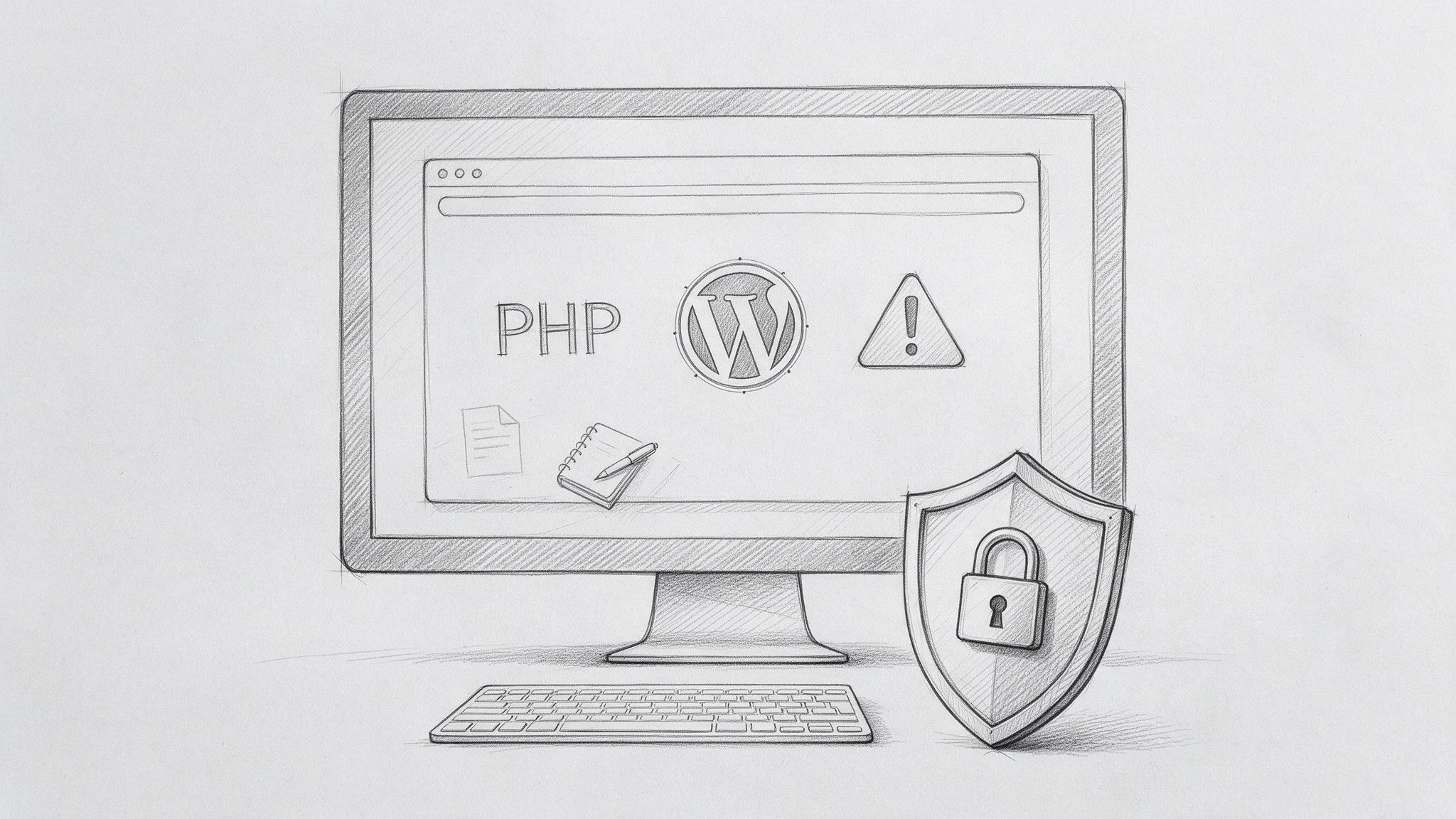
Two critical vulnerabilities have been discovered in PHP, the programming language that powers WordPress and millions of other websites. Known collectively as PHP2Shell, the vulnerabilities could allow attackers to execute malicious code on vulnerable servers without needing a username, password, or access to the WordPress dashboard.
On 21 October 2026, the PHP security team released emergency updates addressing both vulnerabilities, identified as CVE-2026-109618 and CVE-2026-109619. Both received a critical severity score of 9.2 out of 10.
For businesses running WordPress, the important thing to understand is that this is not a vulnerability in a particular plugin, theme, or WordPress installation. The problem exists in PHP itself, meaning a website can be exposed even when WordPress and all its plugins are fully updated.
This article explains what PHP2Shell is, how it affects WordPress, which PHP versions need updating, and what website owners should do to protect their sites.
Quick Answer
PHP2Shell is the name given to two critical security vulnerabilities in PHP, CVE-2026-109618 and CVE-2026-109619. They can potentially allow an unauthenticated attacker to execute code on a vulnerable web server. Because WordPress runs on PHP, WordPress websites using affected PHP versions may be exposed. The primary fix is to update the server’s PHP installation to a patched version. Updating WordPress, themes, or plugins alone is not enough.
1) What is PHP2Shell?
PHP2Shell is the collective name for two vulnerabilities discovered in the core PHP runtime, the software responsible for executing PHP code on a web server.
PHP is used to process requests, communicate with databases, generate dynamic pages, and perform many of the functions that make WordPress work. When someone visits a WordPress website, PHP helps assemble and deliver the page they see.
The PHP2Shell vulnerabilities affect how PHP handles memory under certain error conditions. In some circumstances, a specially crafted request can cause PHP to leave memory in an unsafe state. An attacker may then be able to manipulate that state to execute malicious code or access information from the server’s memory.
The two vulnerabilities are:
CVE-2026-109618: A vulnerability involving memory corruption when PHP runs out of memory. Under certain conditions, this can lead to remote code execution.
CVE-2026-109619: A vulnerability involving global state that can continue referencing memory after it has been released. This can create opportunities for memory disclosure and remote code execution.
Both vulnerabilities are particularly serious because certain exploitation paths can be triggered remotely without authentication. An attacker does not necessarily need access to the WordPress administration area or an existing user account.
9.2 / 10
CVSS v4.0 critical severity score assigned to both vulnerabilities
2 CVEs
CVE-2026-109618 and CVE-2026-109619, collectively known as PHP2Shell
2) Why PHP2Shell is a serious security risk
The biggest concern is the potential for remote code execution, often shortened to RCE. This means an attacker may be able to make a vulnerable server run code that the website owner never authorised.
If an attacker successfully exploits the vulnerabilities, the consequences could include gaining access to sensitive information, modifying website files, installing malicious software, redirecting visitors, or disrupting the website.
The level of access depends on the server configuration and the permissions available to the affected PHP process. Exploiting PHP2Shell does not automatically give an attacker unrestricted control of the entire server, but the potential impact is still severe.
Another important factor is that the vulnerabilities sit below the website application. Even a relatively simple PHP application can be affected if it runs on a vulnerable PHP installation.
Security researchers have demonstrated working exploitation paths, and technical information is publicly available. This makes applying the released security updates particularly urgent.
3) How does PHP2Shell affect WordPress websites?
WordPress relies on PHP to operate. Its themes, plugins, administration dashboard, content management features, and many of its core functions depend on PHP running on the web server.
Because PHP2Shell affects the PHP runtime rather than WordPress itself, a WordPress website can be vulnerable even if the latest WordPress version is installed.
This is an important distinction. Website owners are often told to keep WordPress, themes, and plugins updated to prevent security problems. That remains essential, but those updates do not fix a vulnerability in the underlying PHP installation.
A WordPress website could have every plugin updated, use a reputable theme, and have strong administrator passwords, yet still be exposed if the server is running an affected PHP version.
The risk is not identical across every hosting environment. PHP can run through different server configurations, including Apache mod_php, PHP-FPM, php-cgi, and LiteSpeed-related environments. Researchers have confirmed particularly serious exploitation paths involving Apache mod_php, while other configurations may also be affected.
For WordPress owners, the practical response is the same: check whether the PHP installation has received the relevant security fix, rather than assuming the website is safe because WordPress itself is up to date.
4) What other websites and platforms are affected by PHP2Shell?
Although WordPress is one of the most widely used platforms affected by PHP2Shell, the vulnerabilities are not specific to WordPress. They exist in PHP itself, meaning any website, application, or service running an affected PHP installation could potentially be exposed.
This makes PHP2Shell a much wider security issue than a typical WordPress vulnerability. PHP powers everything from content management systems and online stores to custom web applications and server administration tools.
Other content management systems. Popular CMS platforms such as Drupal, Joomla, and MediaWiki, the software behind Wikipedia, all rely on PHP. Installations running vulnerable PHP versions may therefore be affected, even when the CMS itself is fully updated.
E-commerce platforms. Online stores built with Magento (Adobe Commerce), WooCommerce, Shopware, and other PHP-based commerce systems may also be exposed. For these businesses, the potential consequences are particularly concerning because their websites often process orders, customer information, and commercially sensitive data.
Web development frameworks. PHP frameworks such as Laravel and Symfony are widely used to build custom websites, business applications, and online platforms. Applications developed using these frameworks can inherit the vulnerabilities if their underlying PHP environment has not been patched.
Web applications and hosting control panels. Tools such as phpMyAdmin and Nextcloud, along with hosting environments managed through cPanel or Plesk, may also need attention. Some of these products depend on PHP installed on the server, while others may include their own PHP runtime. The appropriate update therefore depends on how the software is deployed.
Importantly, this does not mean every installation of these platforms is automatically vulnerable. The deciding factor is whether the application is using an affected PHP runtime and whether the relevant security fixes have been applied.
For example, updating a Drupal website, Magento store, or Laravel application will not necessarily fix PHP2Shell if the server continues running a vulnerable PHP version. Similarly, updating the PHP installation used by a website may not update a separate PHP runtime bundled with another application.
The practical advice is the same regardless of platform: identify where PHP is being used, check the installed versions, and confirm that the relevant security patches have been applied. Businesses running multiple websites or applications should check each environment rather than assuming one server update has protected everything.
Not sure where PHP is running across your websites and applications, or whether the right patches have been applied? Dope Studio can audit your environments, apply the necessary updates and make sure nothing has been missed.
5) Which PHP versions are affected by PHP2Shell?
The vulnerabilities affect a wide range of PHP versions, including older releases that are no longer officially supported.
Emergency security patches were released on 21 October 2026. The following are the minimum fixed releases for the affected PHP branches:
8.5.12
Minimum patched version for PHP 8.5
8.4.27
Minimum patched version for PHP 8.4
8.3.36
Minimum patched version for PHP 8.3
8.2.35
Minimum patched version for PHP 8.2
If your website is using an earlier release within one of these branches, it may be vulnerable unless your hosting provider has applied a vendor-specific security backport.
PHP 8.1 and older versions are no longer supported by the main PHP project and do not receive official security releases. Websites still using those versions should be migrated to a supported PHP release or have their protection verified against the relevant operating system or vendor security advisory.
Some hosting providers install patched operating system packages without changing the visible PHP version number. For that reason, checking the version is a useful first step, but confirmation from the hosting provider may also be necessary.
WordPress currently recommends PHP 8.3 or newer, making an up-to-date, supported PHP release the sensible target for most WordPress websites.
6) How to check your WordPress website’s PHP version
Fortunately, you do not need to be a developer to check which PHP version your WordPress website is using.
In your WordPress dashboard, navigate to Tools > Site Health > Info > Server. This section shows technical information about your hosting environment, including the PHP version.
Compare the version displayed against the patched releases listed above. If the version is older, contact your hosting provider or website developer to confirm whether the relevant security update has been installed.
Many hosting providers also display the PHP version in their control panel, often under PHP Settings, PHP Manager, or a similar section.
One point worth remembering is that a WordPress dashboard warning is not a substitute for checking the specific vulnerability. A PHP version may meet WordPress’s general compatibility requirements but still require a newer security release.
If you are unsure what the version number means, your hosting provider should be able to confirm whether the PHP installation is protected against both PHP2Shell vulnerabilities.
7) How to protect your WordPress website from PHP2Shell
Update PHP to a patched version. This is the most important action. The vulnerabilities exist in PHP itself, so the server needs an updated PHP installation containing the security fixes. If you use managed hosting, ask your provider to confirm that the patches have been applied.
Back up your website before making changes. Take a current backup of the website files and database before upgrading PHP, then test the website afterwards. PHP updates can occasionally reveal compatibility issues with older plugins, themes, or custom functionality.
Keep WordPress, themes, and plugins updated. These updates will not resolve PHP2Shell directly, but they remain an important part of overall website security. Outdated plugins and themes can create additional vulnerabilities.
Use a web application firewall. A WAF can provide an additional layer of protection by filtering suspicious requests before they reach the server. Cloudflare has already deployed specific protections for PHP2Shell. However, firewall rules do not replace the need to update PHP.
Review your hosting environment. Make sure your hosting provider applies security updates promptly, isolates customer websites appropriately, maintains backups, and has a process for monitoring unusual activity.
Check for signs of compromise. If the website was exposed before the security update was applied, it may be sensible to review server logs, unexpected file changes, unfamiliar WordPress users, and other suspicious activity.
These steps form a sensible response to PHP2Shell, but the central point remains straightforward: updating the affected PHP runtime is the primary fix.
8) Will updating WordPress or installing a security plugin fix PHP2Shell?
No. Updating WordPress or installing a security plugin does not fix the PHP2Shell vulnerabilities because the problem is not in WordPress code.
WordPress plugins operate within the PHP environment. If the PHP runtime itself contains a critical vulnerability, an attacker may be able to exploit it outside the protection offered by normal WordPress-level security controls.
Security plugins can still be useful for detecting suspicious behaviour, monitoring file changes, limiting login attempts, and addressing common WordPress attacks. However, they should not be treated as a replacement for server security updates.
The same applies to changing administrator passwords or enabling two-factor authentication. Both are good security practices, but neither directly fixes a vulnerability that can potentially be exploited without logging in.
If your hosting provider confirms that the patched PHP version has been installed, that is far more relevant to PHP2Shell protection than whether a particular WordPress security plugin is active.
9) What if your hosting provider has not updated PHP?
If your website is using an affected PHP release and your hosting provider has not confirmed that it has been patched, contact them immediately.
Ask whether the PHP2Shell security fixes for CVE-2026-109618 and CVE-2026-109619 have been applied, which PHP version your website is running, and whether any additional action is required.
If the host manages PHP centrally, you may not be able to apply the update yourself. In that situation, the provider needs to address the affected server software.
Where immediate patching is not possible, temporary safeguards such as appropriate firewall rules, reducing unnecessary externally accessible functionality, and monitoring suspicious requests may help limit exposure. For especially high-risk systems, temporarily restricting public access may also need to be considered.
These are temporary risk-reduction measures, not complete fixes. Changing a PHP setting, restricting uploads, or enabling a firewall should not be treated as equivalent to installing the security patch.
If a hosting provider cannot explain how it is addressing a critical server-level vulnerability, that should raise wider questions about its security and maintenance practices.
10) How to tell if your WordPress site has already been compromised
Running a vulnerable PHP version does not automatically mean your website has been hacked. It means the server may have been exposed to a known security weakness.
However, if the website remained unpatched after the vulnerability became known, it is sensible to check for unusual behaviour.
Potential warning signs include unexpected website files, unfamiliar administrator accounts, unexplained redirects, suspicious scheduled tasks, unusual PHP errors, repeated server crashes, or sudden changes to website content.
Security teams have also highlighted unusual multipart form requests, memory exhaustion errors, and abnormal web server processes as potential indicators of attempted exploitation.
Not all attacks produce visible symptoms. A website may continue to function normally even if an attacker has gained access to part of the server.
If you suspect a compromise, involve your hosting provider or a qualified incident-response specialist. Preserve relevant logs and evidence, assess whether the server needs to be isolated, and avoid assuming that applying the patch will remove any malicious files or access an attacker has already established.
Once a site is confirmed to be clean and the underlying vulnerability has been fixed, credentials and other affected secrets may also need to be rotated as part of the recovery process.
11) Are managed WordPress hosting providers affected?
Managed WordPress hosting can reduce the amount of server maintenance a website owner needs to handle, but the level of protection depends on the provider and its response to security updates.
Some managed hosting services apply PHP security patches centrally, meaning website owners do not need to perform the update manually.
Automattic confirmed on 21 October 2026 that websites hosted on WordPress.com, WordPress VIP, WP Cloud, and Pressable had already been protected against PHP2Shell.
That announcement does not mean every website running WordPress is automatically protected. Self-hosted WordPress installations, websites on shared hosting, and websites managed by other providers still need to be checked against their own hosting environment.
Even if your website is described as fully managed, it is worth confirming that the PHP2Shell fixes have been applied.
This is one of the advantages of working with a hosting provider or website maintenance team that actively monitors security announcements rather than waiting for something to go wrong.
12) What PHP2Shell tells us about WordPress website maintenance
PHP2Shell is a useful reminder that WordPress security involves more than keeping plugins updated.
A WordPress website depends on several different layers working together. There is the WordPress core installation, the theme, the plugins, the PHP runtime, the database, the web server, and the wider hosting environment.
Each layer can introduce vulnerabilities if it is not properly maintained.
For a business relying on its website for enquiries, bookings, sales, or customer communication, website maintenance should include more than occasional visual changes and plugin updates.
It should include a clear understanding of who is responsible for server updates, backups, compatibility testing, monitoring, and responding when security issues are disclosed.
That responsibility is particularly important for older WordPress websites that may still be running outdated PHP versions because changing the server environment has been postponed.
Regular maintenance cannot prevent every vulnerability from being discovered, but it makes responding to new security issues faster and more manageable.
How Dope Studio Can Help
At Dope Studio, we understand that most businesses do not want to spend their time dealing with PHP versions, server configurations, plugin compatibility, and technical maintenance. They want a website that works reliably and supports their business.
Security issues such as PHP2Shell show why the technical foundations of a website matter just as much as its design.
Whether we are developing a new WordPress website or reviewing an existing one, the hosting environment, software versions, ongoing maintenance requirements, and long-term usability should all be considered.
If your existing website is running outdated technology or has become difficult to maintain, it may be worth reviewing the wider setup rather than continuing to apply temporary fixes.
To find out more about our approach to building and maintaining business websites, explore our Web Design & Development services.
The Bottom Line
PHP2Shell is a serious security issue because it affects the PHP software that WordPress relies on, rather than an individual WordPress plugin or theme.
With two critical vulnerabilities, publicly available technical details, and working exploitation paths demonstrated by researchers, website owners should treat the issue as a priority.
The most important action is to confirm that your website is running a PHP installation containing the security fixes released on 21 October 2026. If you cannot verify this yourself, contact your hosting provider and ask for confirmation.
Updating WordPress and its plugins remains important, but it will not resolve PHP2Shell on its own. The PHP runtime must be patched, and websites that may already have been compromised need appropriate investigation.
For businesses, this is also a reminder that a website needs ongoing technical attention after launch. Keeping the underlying software maintained is part of protecting the website, its data, and the people who use it.
FAQ
What is the PHP2Shell vulnerability?
PHP2Shell refers to two critical vulnerabilities in the PHP runtime, CVE-2026-109618 and CVE-2026-109619. They involve memory handling issues that can potentially allow unauthenticated attackers to execute malicious code on vulnerable servers.
Does PHP2Shell affect all WordPress websites?
Not necessarily. WordPress websites running vulnerable PHP installations may be affected. Websites using patched PHP versions, vendor-patched packages, or hosting environments where the relevant security fixes have been applied are protected against these specific vulnerabilities. Check with your hosting provider if you are unsure.
Which PHP versions are safe from PHP2Shell?
The minimum official patched releases are PHP 8.5.12, 8.4.27, 8.3.36, and 8.2.35. Older PHP branches no longer receive official updates from the PHP project. Some hosting providers may use security-patched distribution packages, so confirm the installed fix rather than relying only on the displayed version number.
Will updating WordPress fix PHP2Shell?
No. PHP2Shell affects PHP itself, not WordPress core. Updating WordPress, themes, and plugins is important for general security, but the PHP runtime needs the relevant security patch to fix these vulnerabilities.
How do I check my PHP version in WordPress?
Open your WordPress dashboard and go to Tools, Site Health, Info, then Server. This section displays your PHP version. Compare it with the patched releases and contact your hosting provider if you need confirmation that the security updates have been applied.
Can a WordPress security plugin protect against PHP2Shell?
A security plugin cannot fix the underlying PHP vulnerability. Some security tools and web application firewalls can provide additional protection or detect suspicious activity, but they should not replace updating PHP to a patched version.
What should I do if my WordPress website was vulnerable?
Confirm that PHP has been patched, then assess whether the website may have been compromised. Depending on its exposure, this may involve reviewing server logs, unexpected file changes, suspicious accounts, and other security indicators. If compromise is suspected, involve your hosting provider or a qualified incident-response specialist.