
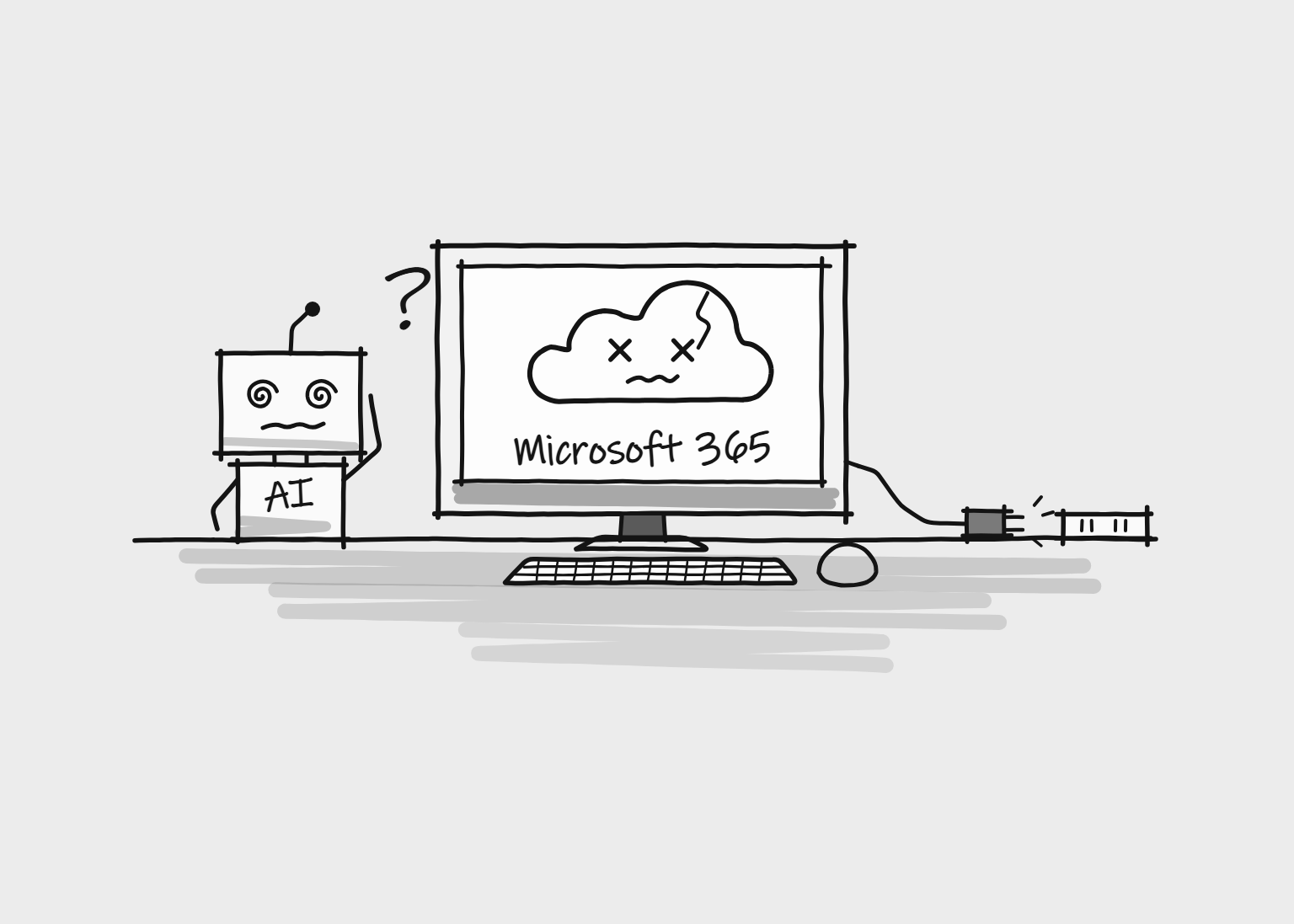
If your inbox went quiet on Thursday 12 November 2026, you weren’t alone. A global Microsoft 365 outage knocked out Outlook and Exchange Online for organisations across the UK and around the world, and the disruption carried on into Friday 13 November. Teams calendars, Microsoft Copilot and the Microsoft 365 connectors inside ChatGPT and Claude were all caught up in it.
For UK businesses, the timing could hardly have been worse. Friday is one of the busiest days of the week for many firms, from conveyancing solicitors handling completions to trades businesses booking in next week’s jobs. Losing email for even part of it meant missed enquiries, stalled approvals and a backlog to clear afterwards.
The outage also showed how tangled modern business software has become. A fault in one Microsoft service locked people out of tools made by completely different companies, including platforms that send their login codes by email.
Below, we explain what happened, why AI tools were affected and how the outage hit UK courts, police and public services. We also share the practical steps we recommend so the next outage doesn’t cost your business enquiries.
Quick Answer
A global Microsoft 365 outage began on 12 November 2026 and continued into 13 November. It disrupted Outlook, Exchange Online, Teams calendars, Copilot and the Microsoft 365 connectors in ChatGPT and Claude. UK businesses, courts and police services were among those affected. Microsoft blamed overloaded connection-handling infrastructure, not a cyberattack. The key lessons for UK businesses: don’t rely on email alone to receive website enquiries, and don’t rely on email codes to log in to essential services.
1) What happened: a timeline of the Microsoft 365 outage
The first reports came in on Thursday 12 November 2026 from users in the United States who couldn’t get into Outlook. The problem soon spread to the UK, the rest of Europe and Asia.
Outlook was hit hardest. People couldn’t open their inboxes, send or receive email, or connect to Exchange Online, whether they were using the desktop app, Outlook on the web or their phone.
Microsoft confirmed that the problem went beyond email. Services that depend on Exchange Online started failing too, which is why calendars, Teams scheduling and Copilot were affected at the same time.
Downdetector logged around 130,000 Outlook problem reports in the United States near the peak. These are reports submitted by users, not a count of everyone affected, but they show how many people noticed at once.
Microsoft’s engineers redirected traffic, restarted servers and tested configuration changes. Recovery was stop-start: some servers fell over again as soon as connections came back.
By Friday 13 November, Microsoft said stability was improving. Some customers, including UK organisations, were still dealing with intermittent problems and delayed emails.
2) Which Microsoft 365 services went down?
Microsoft 365 isn’t one product. It’s a bundle of services that share the same plumbing, so when Exchange Online struggled, everything that leans on it struggled too. Here’s how each part fared.
Outlook and Exchange Online. The centre of the outage. Mailboxes wouldn’t open, messages wouldn’t send or arrive, and devices stopped syncing. Mail that did get through often arrived late, because queued messages were still being worked through during recovery.
Microsoft Teams. Chat and video calls kept working for many people, but anything tied to Exchange was unreliable, especially calendars and meeting scheduling.
Microsoft Copilot. Copilot struggled to load answers and couldn’t reliably reach the emails, calendars and files it normally works from.
SharePoint and OneDrive. Some connected features were disrupted, although files stored directly in SharePoint were usually still accessible.
Microsoft Planner and To Do. Task features were patchy, causing problems for teams that manage their workload through Microsoft’s planning tools.
Admin and security tools. Parts of Microsoft Graph, Defender, Purview, Intune and the Microsoft 365 admin centre were also affected, which made life harder for the IT teams trying to work out what was going on.
So this wasn’t a total Microsoft blackout. It was a failure centred on Exchange Online that spread to everything connected to it, which is exactly why it caught so many businesses off guard.
3) How the outage hit UK businesses
Most UK small businesses don’t think of email as a system. It’s simply where work arrives. Quotes, invoices, supplier orders, booking confirmations, job sheets and customer complaints all land in the same inbox.
So when Outlook stopped, a lot of everyday work stopped with it. Here’s how that could look across different types of business.
Solicitors and estate agents. Friday is traditionally a busy completion day for property sales, and much of the back-and-forth between law firms, lenders, agents and clients happens by email. An email outage on a Friday is about the worst timing a property firm could ask for.
Trades and local service businesses. A plumber, electrician or builder who gets most of their leads through a website contact form may not have known enquiries were going missing at all. The website kept working and customers saw a ‘thank you’ message, but the notification emails weren’t arriving.
Accountants, recruiters and agencies. Client documents, CVs and sign-offs sent by email were delayed, and calendar problems made it harder to arrange or move meetings.
Businesses with connected systems. Firms that link Microsoft 365 to a CRM, booking platform or project management tool could see problems wherever those systems pass data through Microsoft.
These are illustrations rather than reported cases, and the real impact depends on the tools each business uses. For any business that runs on Microsoft 365, though, even a few hours offline leaves a backlog of enquiries, unanswered messages and admin to catch up on.
The outage also locked people out of services that had nothing to do with Microsoft. Many online platforms send a one-time code to your inbox as a second login step, known as two-factor authentication (2FA). Others have dropped passwords entirely and email you a ‘magic link’ to sign in. If your session expired during the outage, or a service logged you out, there was no way back in, because the code or link was stuck in an inbox you couldn’t reach.
That can affect almost any tool a business uses every day: automation platforms, AI assistants, CRMs, accounting software, hosting control panels and website dashboards. One expired session at the wrong moment can stop an important job for hours, even though the service you’re trying to reach is working perfectly.
The UK’s National Cyber Security Centre (NCSC) recommends turning on two-step verification wherever you can, and using an authenticator app where possible. Where a service supports it, move away from email codes to an authenticator app, a passkey or a hardware security key. Keep your backup codes somewhere secure, and set a recovery email with a different provider from your main business account.
4) Why ChatGPT and Claude stopped working with Microsoft 365
More and more UK businesses connect ChatGPT or Claude to their Microsoft 365 account so the AI can search emails, check calendars and work with documents. During the outage, those connections broke.
ChatGPT. OpenAI reported elevated errors with its Microsoft 365 connector. New connections could fail to set up, and tools that were already connected didn’t always work as expected.
Claude. Anthropic reported failures in its Microsoft 365 connector across email, calendar and search. Claude for Outlook was also affected, with some users unable to open it or complete mail and calendar actions.
A separate Claude login outage. On the morning of Friday 13 November, Anthropic opened a second incident for elevated errors on Claude.ai, Claude Code and platform.claude.com. From about 09:58 UK time, many users couldn’t sign in, and Claude.ai was listed as having a major outage. Anthropic put a fix in place shortly after 11:00 and marked the incident as resolved at around midday, roughly two hours after it began.
Anthropic has not linked this login problem to the Microsoft outage or explained what caused it, so it’s best treated as a separate incident that happened at the same time. But the two made a bad combination. If you were signed out of Claude and your business email runs on Microsoft 365, any sign-in link sent to your inbox might not have arrived either.
Apart from that login incident, the Microsoft-related problems were with the connection between each AI tool and Microsoft 365. OpenAI’s updates only reported problems with ChatGPT’s Microsoft 365 connector, not a full ChatGPT outage. Both AI tools could generally still help with work that didn’t need Microsoft data. What they couldn’t do was reach into Outlook, because Outlook wasn’t responding.
That’s an important distinction for any business building AI into its working day. An AI tool can be perfectly healthy and still useless for a particular job if the service it depends on is down.
5) Copilot and the hidden weak spot in AI workflows
Copilot was hit harder, because it lives inside Microsoft 365 rather than connecting to it from outside.
Microsoft warned that Copilot Chat might not load or respond in some apps, and that Copilot features needing email, calendar or file data might be unable to retrieve it.
Think about what that means day to day. If your team has started relying on Copilot to summarise long email threads, prepare for meetings or draft replies, those shortcuts disappeared just when people were already falling behind.
This is the hidden weak spot in AI workflows: the AI is only as available as the least reliable system it depends on. Connect it to an email service, a calendar, a document library and an integration layer, and you’ve added four things that can fail.
None of this is a reason to avoid AI. It’s a reason to know what sits underneath it, and what your team does when part of that chain breaks.
6) What caused the Microsoft 365 outage?
Microsoft’s investigation centred on the infrastructure that handles connections to Exchange Online.
According to its incident updates, a process that sets up secure connections became overwhelmed, and the affected servers stopped processing requests. Their traffic then moved to the remaining servers, which became overloaded in turn, a classic domino effect.
Microsoft also examined a recent network configuration change whose timing matched the start of the problems.
The fix was a mix of rerouting traffic, restarting infrastructure, limiting connections in some regions and testing configuration changes. Progress was uneven because some servers became unresponsive again as normal traffic returned.
Microsoft said it had no indication of malicious activity or a cyberattack.
At the time of writing on 13 November 2026, Microsoft had not published a full root cause. Until it does, treat any claim that a single update or setting caused the outage with caution.
7) Disruption to UK courts, police and public services
This wasn’t only a problem for private businesses. Microsoft 365 is used across UK government departments, councils, schools, the justice system and healthcare.
Reports on 13 November described disruption to public-sector organisations in several countries, with the United Kingdom affected alongside Australia, Japan, Singapore and the Philippines.
In the UK, the outage affected some police reporting functions and court operations, and concerns were raised about possible delays to healthcare communications. A court hearing in Manchester was among the reported disruptions.
It’s a reminder of how much of British public life now runs on the same cloud platforms as everyone else. An email outage sounds minor next to a full network failure. When courts, police and health services coordinate time-sensitive work through those tools, the knock-on effects are real.
Suppliers to the public sector, from contractors to care providers, may also have felt the delays second-hand as responses and approvals were held up.
8) Why UK businesses are more exposed to cloud outages than they think
Moving to the cloud has been good for UK businesses. Teams can work from home or on site, files are available on any device, and nobody has to look after a server in the back office.
The trade-off is dependency. A typical small business might use Microsoft 365 for email, Teams for calls, SharePoint for files, a separate CRM for customers, an accounting package, a booking system and an AI tool or two.
On paper, that’s seven separate products. In practice, many of them share the same login, the same email account or the same Microsoft connection. If that shared piece fails, several ‘separate’ tools fail with it.
This is called a cascading failure, and this outage was a textbook example. A problem in Exchange Online spread to Teams, Copilot, third-party AI integrations and even the logins of services that rely on email verification.
The real risk isn’t using the cloud. It’s not knowing how much of your business depends on a single provider, or a single inbox.
9) What to do when Outlook and Microsoft 365 go down
When Outlook stops working, the instinct is to restart your laptop, reinstall the app or ring your IT support. If the fault is on Microsoft’s side, none of that will help, and changing settings can cause new problems when the service comes back.
Check whether it’s just you. Start with the Microsoft cloud status page and the Service health page in your Microsoft 365 admin centre. Both are more reliable than social media.
Keep customers informed. Phone urgent clients, use an approved alternative messaging tool, and consider posting a short update on your website or Google Business Profile if customers may be waiting for replies.
Stay logged in. Avoid signing out of important services during an email outage. If they send login codes or links by email, you may not be able to get back in until it’s fixed.
Don’t keep reconnecting integrations. Re-authorising Microsoft connections in your CRM or AI tools over and over while Microsoft is down rarely helps, and it can leave things in a mess afterwards.
Work out what’s actually broken. If ChatGPT or Claude still answers normal questions but can’t pull in your Outlook emails, the problem is the Microsoft connector, not the AI tool.
Stay compliant. Workarounds still need to follow UK GDPR and your own security policies. Forwarding client data to personal Gmail accounts or unapproved apps to ‘keep things moving’ can turn an outage into a data protection problem.
10) How to outage-proof your business: a practical UK checklist
No cloud provider can promise 100% uptime, and Microsoft is no exception. What you can control is how much damage one failure can do.
Map what depends on what. List the tools your business uses and the processes behind them. Pay close attention to email, logins, cloud storage, customer records and any automations that pass data between systems.
Have a plan B for communication. Agree in advance how staff will contact each other and key clients if Outlook or Teams goes down, and keep an offline list of essential phone numbers.
Get email out of your logins. Switch business-critical accounts from email codes and magic links to authenticator apps, passkeys or security keys, in line with NCSC guidance, and store recovery codes securely.
Back up enquiries and critical data. Make sure website form submissions and essential business information are stored somewhere other than a single mailbox, with sensible access controls and backups.
Monitor your automations. If integrations handle enquiries, move customer data or trigger follow-ups, make sure failures send an alert instead of failing silently.
Plan for AI interruptions. Where AI supports essential work, decide in advance which tasks can be done manually and which can wait.
Test your plan. The NCSC’s free Exercise in a Box tool lets small organisations rehearse how they would respond to an incident, without needing an in-house security team.
Check everything after recovery. When the service returns, make sure delayed emails, queued requests and failed automations have actually been processed. Under UK GDPR, a temporary loss of access to personal data can count as a personal data breach. Most short outages at a provider won’t need reporting to the ICO, but it’s good practice to record what happened and how you responded.
None of this will stop the next Microsoft outage, but it will make the difference between a stressful afternoon and a lost week of business.
11) What the outage means for UK businesses adopting AI
UK businesses are connecting AI to more and more of their systems, including inboxes, calendars, cloud storage, CRMs and project tools. Those connections are what turn AI from a clever chatbot into something that actually saves time.
Every connection is also a dependency. This outage showed that clearly. OpenAI and Anthropic both reported problems with their Microsoft 365 connectors, not because their AI failed, but because the service behind it did.
That doesn’t make AI unreliable. It means AI-powered processes deserve the same planning as any other business-critical system.
Before you automate something important, ask three questions. What happens if the AI tool is down? What happens if the system it connects to is down? And what happens if the connection between them breaks?
If the honest answer to any of those is ‘we’d lose customers’ or ‘nobody would notice’, build in a fallback first. That matters more and more as AI moves from drafting the odd email to handling customer service, admin and reporting.
What UK Businesses Should Take Away From This
For most UK small businesses, the website contact form is the front door for new work. During this outage, many of those front doors were quietly locked, and nobody knew.
Here’s why. Most contact forms do one thing when someone presses submit: they send an email. The visitor sees a ‘thank you’ message and assumes you’ve got it. If that email is going to a Microsoft 365 mailbox that’s down, it may arrive hours late or not at all, and there’s no other copy anywhere. Neither you nor the customer knows it has gone missing.
We suggest two safeguards, and we set up both on the websites we build. First, send form emails through SMTP with logging turned on. By default, WordPress sends email with PHP mail. That keeps no record of what was sent, and those emails often fail SPF and DKIM checks and end up in spam. Connecting your site to an authenticated SMTP service or a transactional email provider improves deliverability. A plugin such as FluentSMTP or WP Mail SMTP can then keep a log of every email the site sends: who it went to, when it was sent, and whether the receiving server accepted or rejected it. After an outage, you can see exactly which notifications were affected and, with most logging tools, resend them in a couple of clicks.
One honest caveat: an SMTP log proves that an email left your website and was accepted by the receiving mail server. It can’t prove that the email reached an inbox or that anyone read it. That’s why we don’t rely on it alone.
Second, save every submission to the website’s database. Gravity Forms, Fluent Forms and the paid versions of WPForms can store every entry inside WordPress, and Contact Form 7 can do the same with the free Flamingo plugin. If the email never arrives, the enquiry is still waiting in your dashboard. After this outage, a business with database storage could simply log in, check Thursday’s and Friday’s entries and call everyone back.
Two extra steps make this even more robust. Send a copy of each notification to a second address with a different email provider, so one outage can’t silence every alert. And because stored submissions contain personal data, protect them properly under UK GDPR: limit who can see them, set a sensible retention period, mention it in your privacy notice and keep regular backups.
None of this is complicated or expensive. It’s the difference between a website that simply looks good and one that keeps working for your business when something outside your control breaks. It’s the kind of detail we build into every site we develop for businesses in Kent and across the UK.
To see how we build dependable business websites, take a look at our Web Design & Development services.
The Bottom Line on the Microsoft 365 Outage
The Microsoft 365 outage of 12 and 13 November 2026 showed how quickly a single fault at a major cloud provider can spread through UK businesses, public services and AI tools.
It started in Exchange Online and spread to Outlook, Teams, Copilot, the Microsoft 365 connectors in ChatGPT and Claude, and even the logins of unrelated services that rely on email codes. In the UK, courts and police services were among those affected.
The answer isn’t to abandon Microsoft 365, the cloud or AI. They remain the backbone of how most modern businesses work.
The answer is to stop treating email as something that never fails. Back up your website enquiries, move important logins away from email codes, know which tools depend on which, and have a simple plan for the day everything goes quiet.
Businesses that do those things will cope far better with the next outage. Those that don’t may only find out what depended on their inbox when it stops working.
FAQ
What caused the Microsoft 365 outage in November 2026?
Microsoft traced the outage to overloaded infrastructure that handles connections to Exchange Online. Servers stopped processing requests, and the extra traffic overloaded the remaining servers. Microsoft also investigated a recent network configuration change. It had not published a full root cause at the time of writing.
Which Microsoft 365 services were affected?
Outlook and Exchange Online were hit hardest. Parts of Microsoft Teams (especially calendars and meeting scheduling), Copilot, SharePoint, Planner, To Do and several admin and security tools were also affected. The impact varied between users, and some features kept working throughout.
Was the UK affected by the Microsoft 365 outage?
Yes. UK businesses were affected along with users worldwide, and reports on 13 November described disruption to UK public services, including some police reporting functions and court operations. A court hearing in Manchester was among the reported disruptions.
Were ChatGPT and Claude affected by the Microsoft outage?
Yes, through their Microsoft 365 integrations. OpenAI reported errors with ChatGPT’s Microsoft 365 connector, and Anthropic reported failures in Claude’s Microsoft 365 connector and Claude for Outlook. Separately, on the morning of 13 November, Claude had a login outage lasting about two hours, which Anthropic has not linked to Microsoft. OpenAI’s updates only reported problems with ChatGPT’s Microsoft 365 connector.
Was the Microsoft 365 outage a cyberattack?
No. Microsoft said it had no indication of malicious activity. Its investigation focused on overloaded servers, connection handling, traffic management and a possible configuration change.
Why couldn’t people log in to other websites during the Microsoft outage?
Many online services send a one-time code or a sign-in link by email as part of logging in. If your business email runs on Microsoft 365 and it was down, those codes and links could not be received, so anyone who was logged out was locked out. Using an authenticator app, passkey or security key instead of email codes avoids this.
What should UK businesses do when Microsoft 365 goes down?
Check the Microsoft cloud status page and the service health page in your admin centre, contact urgent customers by phone or another approved channel, and avoid logging out of services that send login codes by email. Once service returns, check delayed emails, failed automations and website form submissions so no enquiries are missed.